
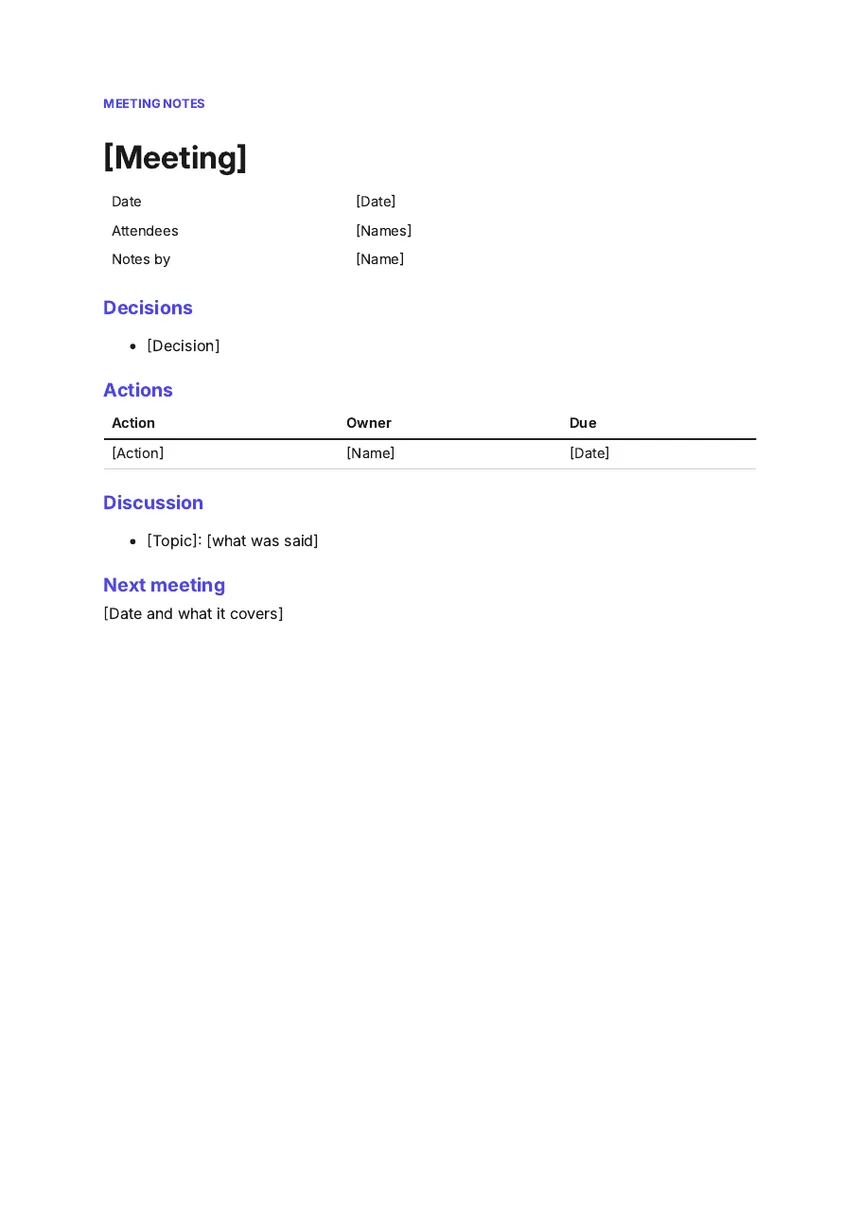
What this template is for
Use it for weekly team meetings, supplier calls, site visits and partner meetings. Most notes record the talk and lose the outcome. Here the decisions and actions sit at the top, so anyone who missed the meeting knows quickly what was agreed and what they have to do.
The actions table is the part that gets things done. Every action has one owner and one date.
- Fonts
- Inter
- Paper
- A4, one page
- Margins
- 0.9 in top and bottom, 1 in left and right
- File
- Word .docx
What is in it, section by section
- Label and title"Meeting notes" in small capitals, then the meeting's name.
- DetailsDate, attendees and who took the notes, in a table without borders.
- DecisionsOne line for each decision.
- ActionsA table of action, owner and due date.
- DiscussionOne line per topic: what was said.
- Next meetingThe date and what it will cover.
How to fill it in
- Fill in the date and attendees before the meeting starts.
- Write each decision the moment it is made, in one line.
- Give every action one owner and a date. "The team" is not an owner.
- Keep the discussion to a line per topic.
- Send the notes the same day, and start the next meeting with the actions table.
Questions
What is the difference between meeting notes and minutes?
Minutes are the formal record, often required for board and company meetings, and are approved at the next meeting. Notes are for working meetings. This template works for both. For minutes, add who proposed each decision if your rules ask for it.
Who should take the notes?
Someone who is not running the meeting. Rotate the job so one person is not always writing instead of talking.
Should I write down everything that was said?
No. Record decisions, actions and the reasons behind them. A line per topic is enough for the discussion.
Use it in Supernatural
Supernatural: everything your business runs on, with Blue as your part-time admin. Word is one of its apps. In your workspace, you ask Blue for “notes for this meeting”. Blue starts from this template, writes in what you give it, and leaves [brackets] where something is missing. Before it makes the document, Blue shows you which template it chose and what it will write. Nothing is made until you say yes.
The beta is free and asks for no card.
More free templates
Last updated 3 November 2026.